


WEIMI Three Screen Makeup Vending Machine
WEIMI · For makeup retailers
Three Screen Makeup Vending Machine
Show the range. Explain the shade. Help shoppers choose.
A 43-inch main touchscreen gives shoppers room to read product details. Two 27-inch side screens show the same content, with colour-controlled lights along all four long edges.

01 / Make the choice clear
Similar packs. Different shades.
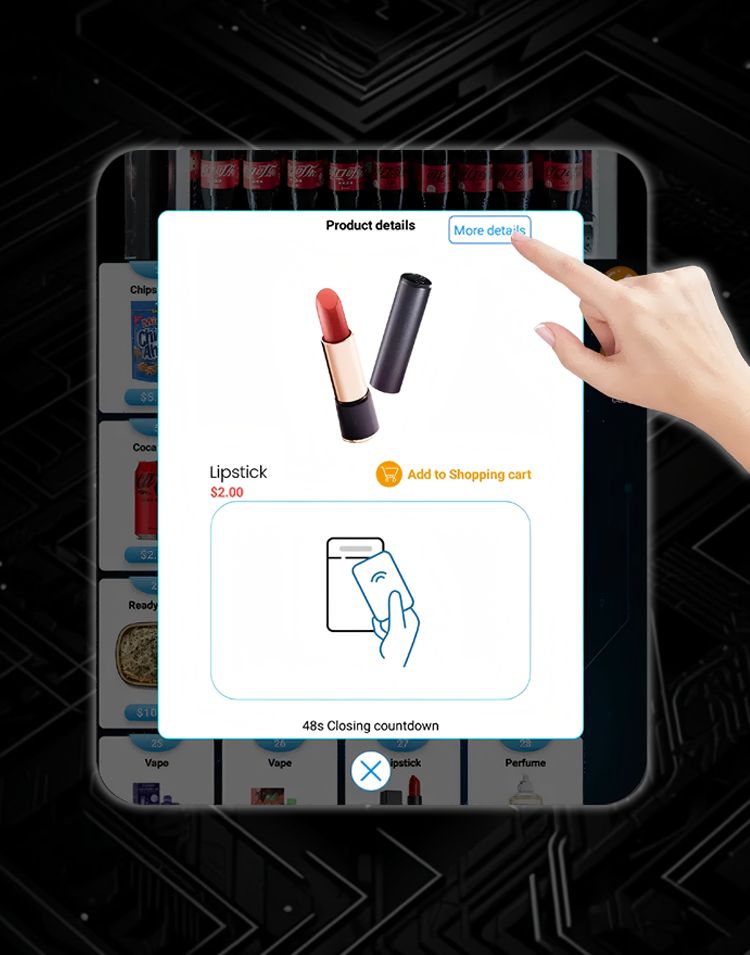
Makeup shoppers need more than a small pack photo. Use this touchscreen makeup vending machine to show the product name, series, shade label, finish and size before they pay.
This custom build is intended for a retailer selling 3CE cosmetics. Set up each stocked product with its own clear details. The final product range and pack fit are checked before loading.
Put the shade name beside the photo
Add accurate photos and product information in the backend. Keep the shade name or code easy to read. A screen image is a guide, so the text label should also identify the item clearly.
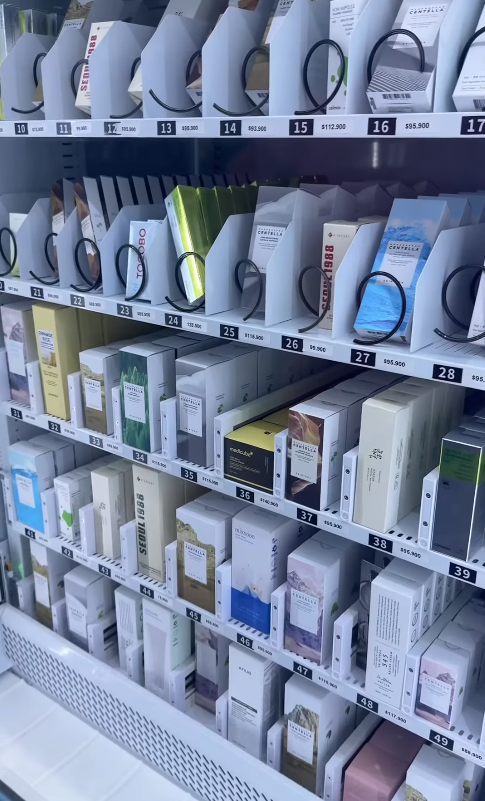
Sort the range your way
Create categories for the products you actually stock. Group them by product type or series, and use clear shade labels in each listing. Shoppers can find the right group before comparing items.
02 / Front and side views
One main screen. Two matching side displays.
Give product details and the buying steps a large front display.
Both side screens show the same content. One supports touch; the other is a non-touch display. Plan the layout so the side you want shoppers to touch is easy to reach.
Control the colour of the strips along the four long edges. Match the lighting to your shop display or current promotion.

03 / Offer a useful extra
Choose what to recommend
You decide which items and offers appear. Keep suggestions relevant to the shopper’s selection and the range you have stocked.
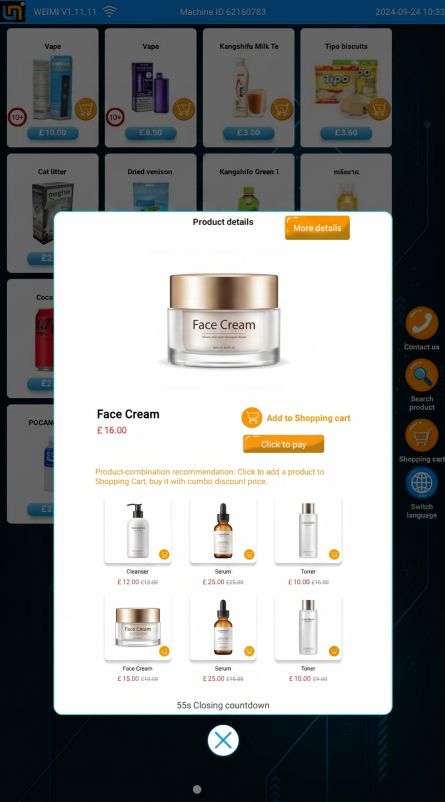
Link related products
Select a related item in the backend to recommend when a customer chooses a product. For example, link another item from the same series if it is stocked. These are retailer-set suggestions, not automatic shade matching.
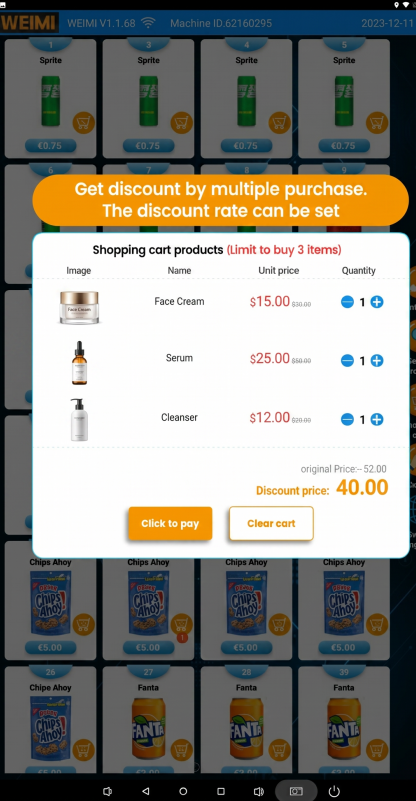
Set a multi-buy discount
Choose the eligible products and discount in the backend. You could offer a discount for buying two selected items. Make the offer terms clear so shoppers know which products count.
04 / Refill the right products
Check the range before your next visit
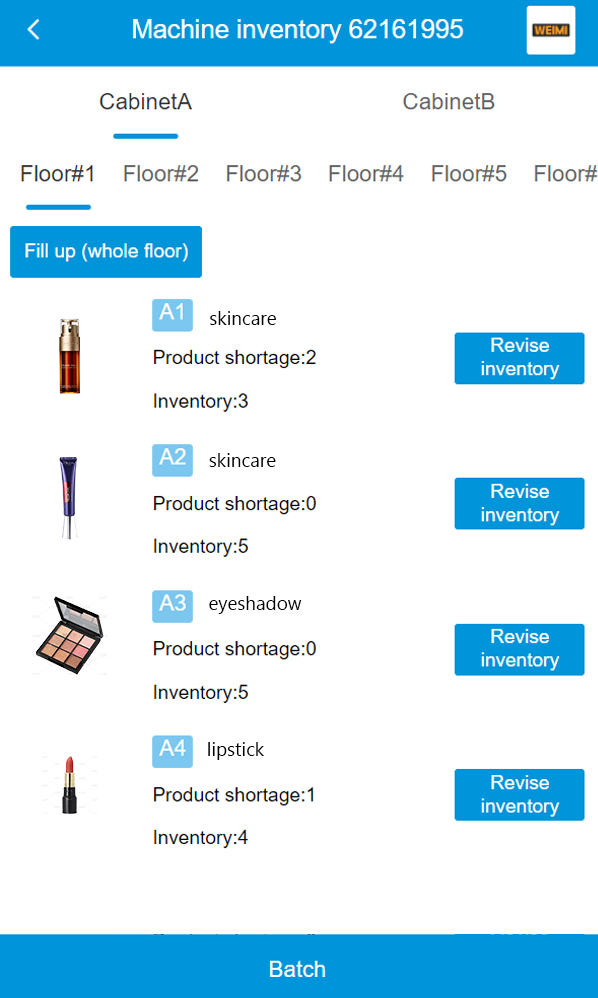
See stock by product
Check inventory in the backend. Give each product and shade a distinct label in your setup, then use the stock view to prepare the packs you need for the next refill.
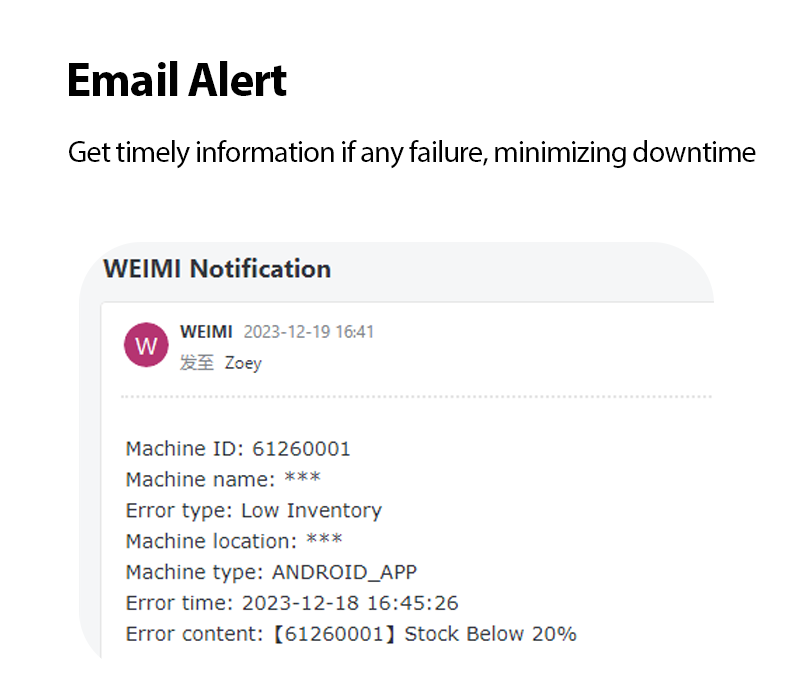
Receive low-stock and fault emails
Set email alerts for low stock and machine faults. Use a stock notice to plan a refill. Use a fault notice to arrange a check instead of waiting until your next routine visit.
See which products sell
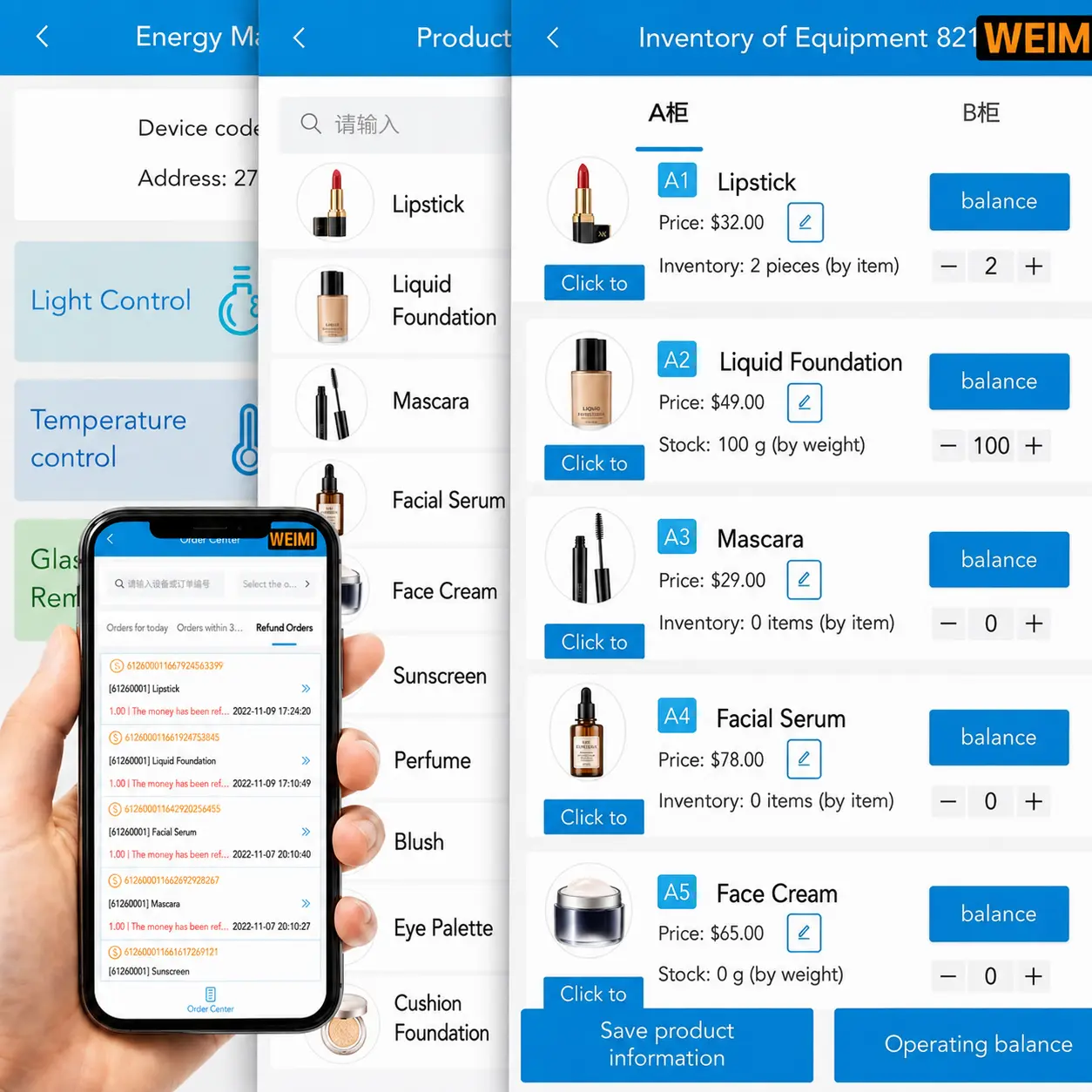
Review sales reports to compare products. Use those results to decide what to refill, which listings to improve and which items to include in an offer.
A beauty vending machine needs a range that fits its location. Your own sales data helps you make those choices.
05 / Start with the pack
36 channels. Capacity depends on your makeup packs.
This cosmetic vending machine uses six floors with six spiral slots on each floor. That is 36 dispensing channels, not a promise of 36 units or a fixed total capacity.
Send the width, height, depth and weight of the actual retail packs. Ask for sample dispensing checks, especially for fragile products or packs with loose outer sleeves.
Final unit capacity depends on the pack size and the agreed spiral setup.
Plan the whole installation
The cabinet is W76 × D51 × H193 cm. Allow space for shoppers, refilling and service access as well as the cabinet itself.
Tell us the installation conditions and each product’s storage requirements when requesting a quote.
A top-mounted camera and a controllable electromagnetic lock are included in this custom configuration. Discuss the control setup your project needs with WEIMI.
Configuration
Check the details for your store

| Intended use | Packaged makeup retail; planned for 3CE cosmetics, with individual pack fit to be checked |
|---|---|
| Machine dimensions | W76 × D51 × H193 cm |
| Main screen | 43-inch touchscreen |
| Side screens | Two 27-inch HD LCD screens showing the same content; one touch, one non-touch |
| Dispensing layout | 6 floors × 6 spiral slots; 36 channels total |
| Total unit capacity | Depends on product dimensions and the agreed spiral setup |
| Edge lighting | Colour-controlled strips along four long edges |
| Camera | Top-mounted camera |
| Lock | Controllable electromagnetic lock |
| Payment options | Coin, cash, card, e-wallet, IC card and ID card; terminals selected for the project |
Questions before you order
Do all three screens support touch?
No. The 43-inch main screen is a touchscreen. Of the two 27-inch side screens, one supports touch and the other does not. The two side screens show the same content.
Can shoppers compare makeup shades?
You can add photos, shade names or codes and product details for shoppers to read. This is product information, not a virtual try-on or automatic shade-matching service.
How many items will fit?
There are 36 spiral channels. The total number of units depends on the dimensions of the retail packs and the spiral setup. Send samples or exact measurements for a fit check.
Can I change recommendations and offers?
Yes. Set related items and multi-buy discounts in the backend. You can also check inventory, receive low-stock and fault emails, and review sales reports.
Which payment options can I choose?
Optional terminals support coin, cash, card, e-wallet, IC card and ID card. Confirm the combination and local payment support for your project with WEIMI.
Plan your makeup range
Send your packs. Choose your setup.
Share your product list, pack photos and measurements, installation location, screen content needs and preferred payments. WEIMI can review the configuration and prepare your quote.


