


WEIMI Customized Pet Treats and Toys Vending Machine
WEIMI WM10 · For pet shops
Pet treats and toys vending machine
Help shoppers check the label, find a toy and choose a useful extra.
WM10 pairs a 10-inch touchscreen with 54 spiral slots. Set up your own product details, categories and offers for packaged treats and small toys.
Request a Quote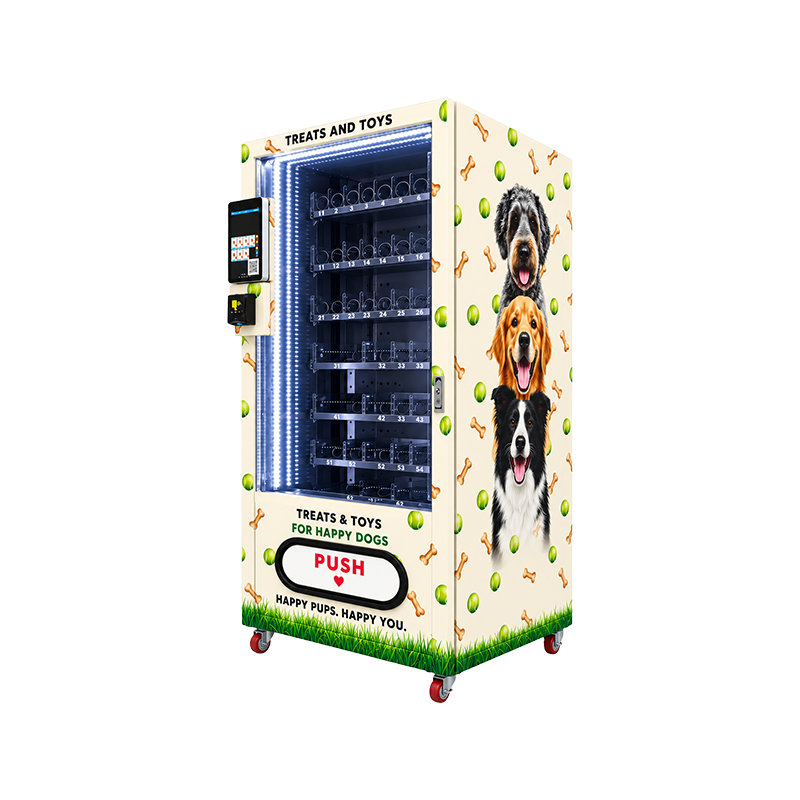
01 / Help shoppers choose
Show what is inside the pack
Use your dog treat vending machine to show more than a product name. Add ingredients, pack size and feeding guidance from the product label. Shoppers can check these details on the screen before they buy.
This helps people compare treats when their pet has food sensitivities. It does not check allergies or replace advice from a vet.
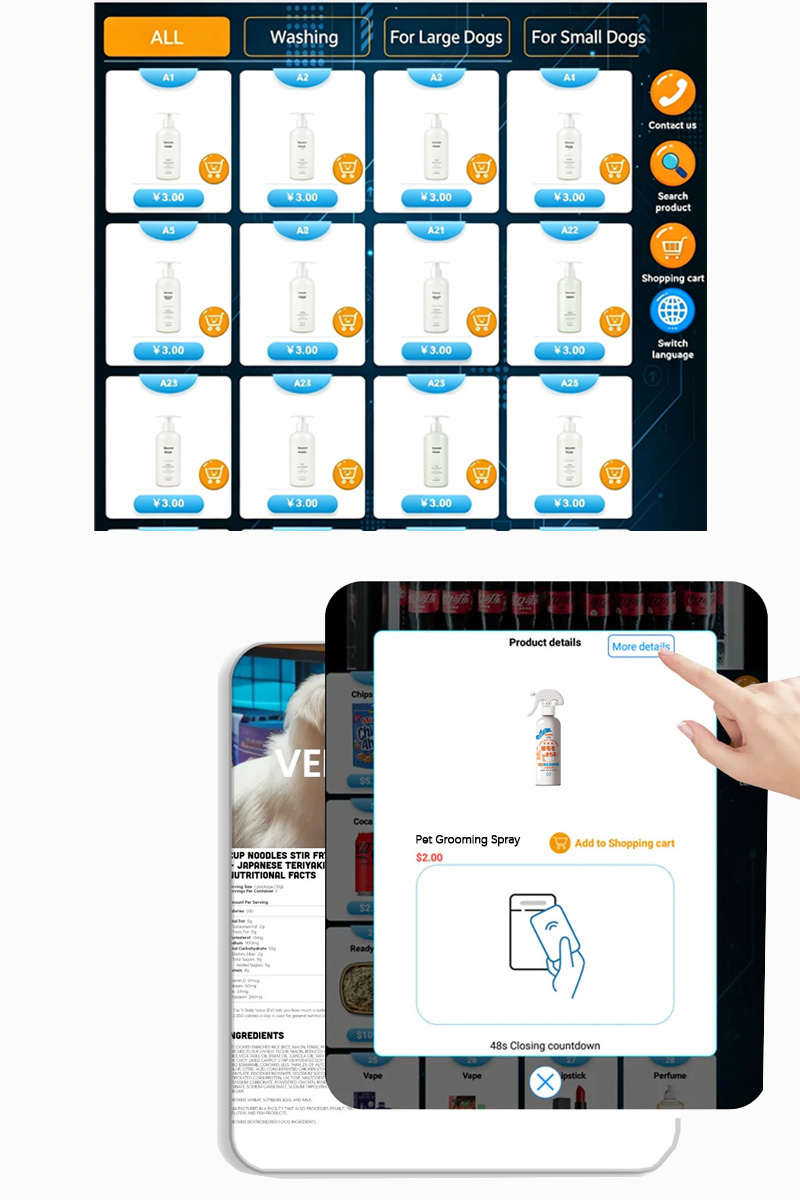
Make products easy to find
Create clear categories such as dog treats, cat treats and small dog toys. Add size or use labels where they match the product maker’s guidance. Breed alone is not a reliable guide to fit.
Show toy size before purchase
A pet toy vending machine needs clear size details. Add photos, dimensions and play guidance so shoppers can compare a small ball with a larger chew toy.
Use product images or videos on the 10-inch touchscreen to show the item clearly.
02 / Build a useful basket
Suggest an extra that makes sense
Choose related items
In the backend, select which stocked items to recommend after a shopper picks a product. For example, suggest a small toy alongside a bag of treats. Keep each suggestion relevant to the item chosen.
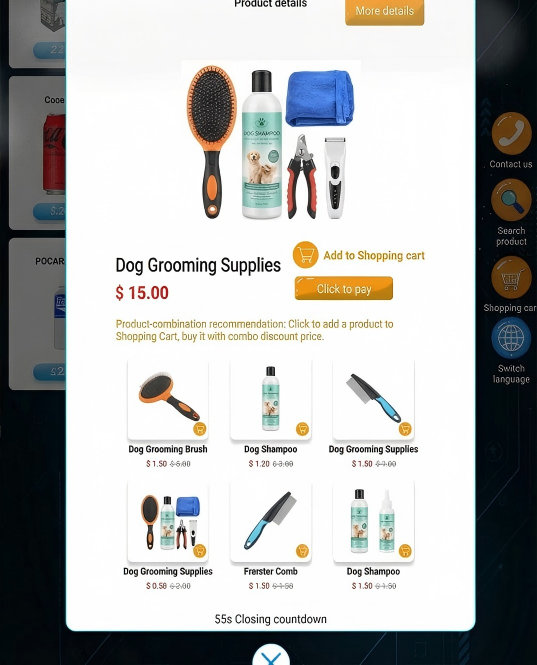
Set a multi-buy offer
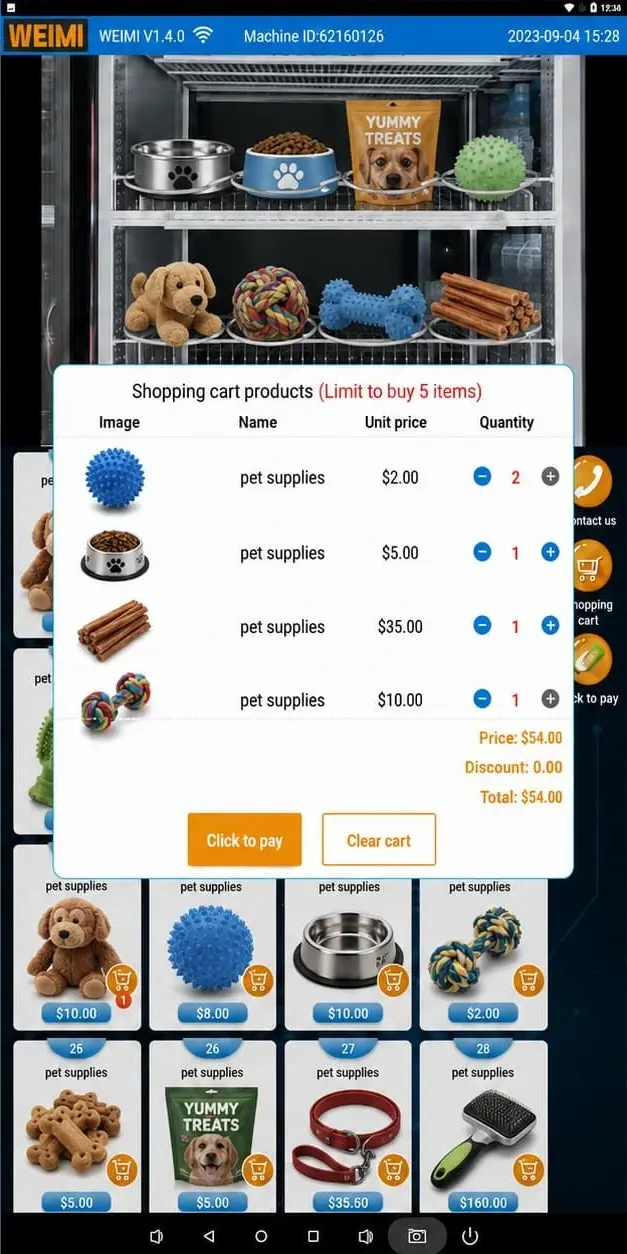
Choose the products and discount for your offer. For example, offer a discount when a customer buys two eligible treat packs. Set the terms in the backend so shoppers can see the offer before paying.
03 / Plan the next refill
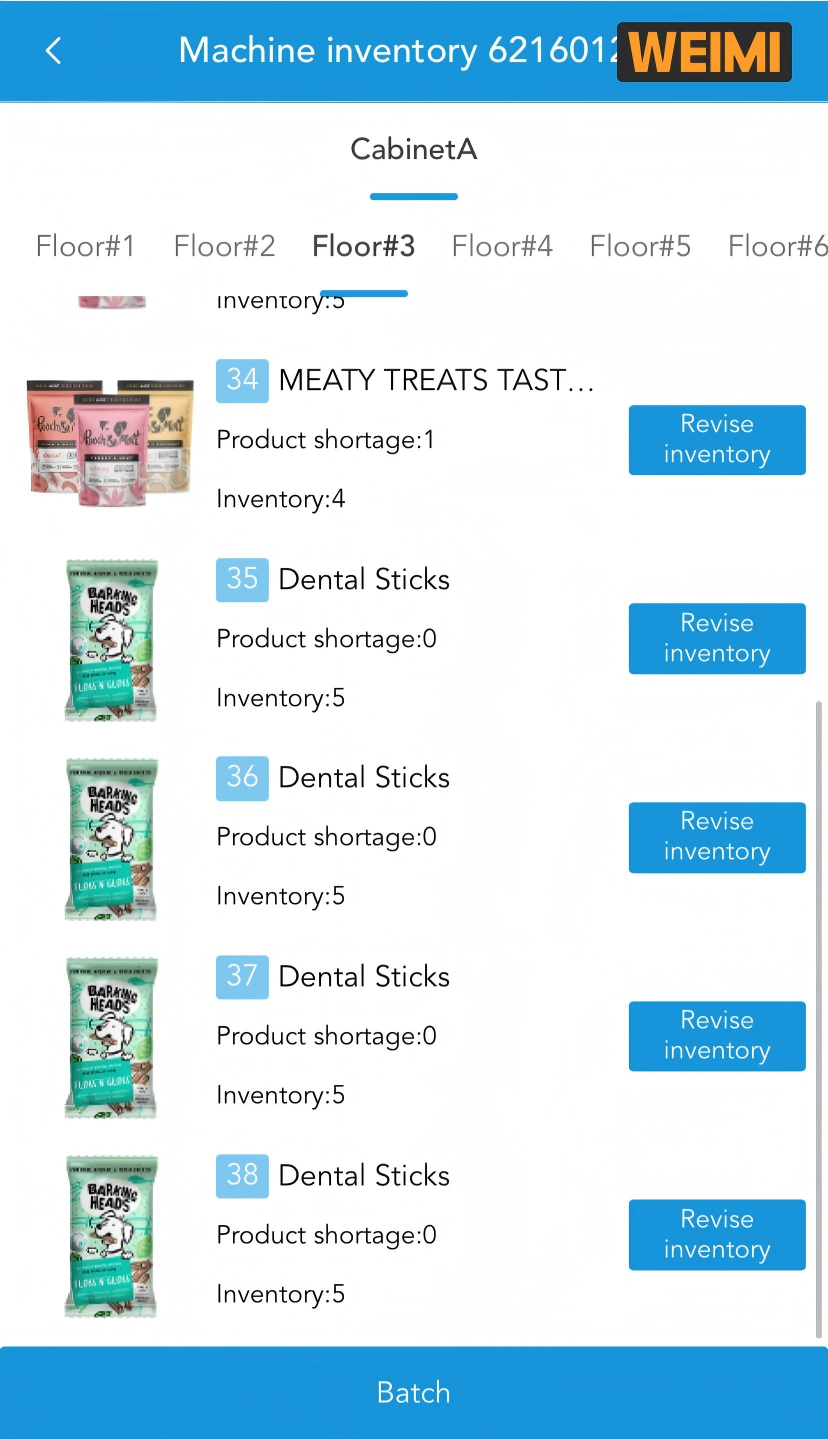
Check stock before you pack the van
See which items need a refill in the backend. Bring the right packs instead of guessing what has sold.
View stock by product
Check remaining stock for treats and toys. Use the stock view to prepare your refill list, then update the machine’s product setup when you change the range.
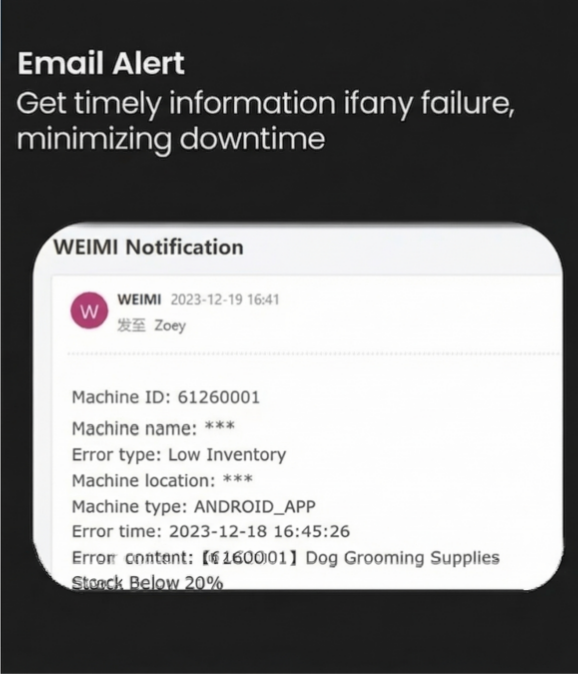
Get an email when action is needed
Set low-stock and machine-fault email alerts. A low-stock notice helps you plan a visit. A fault notice tells you which machine needs attention so you can arrange a check.
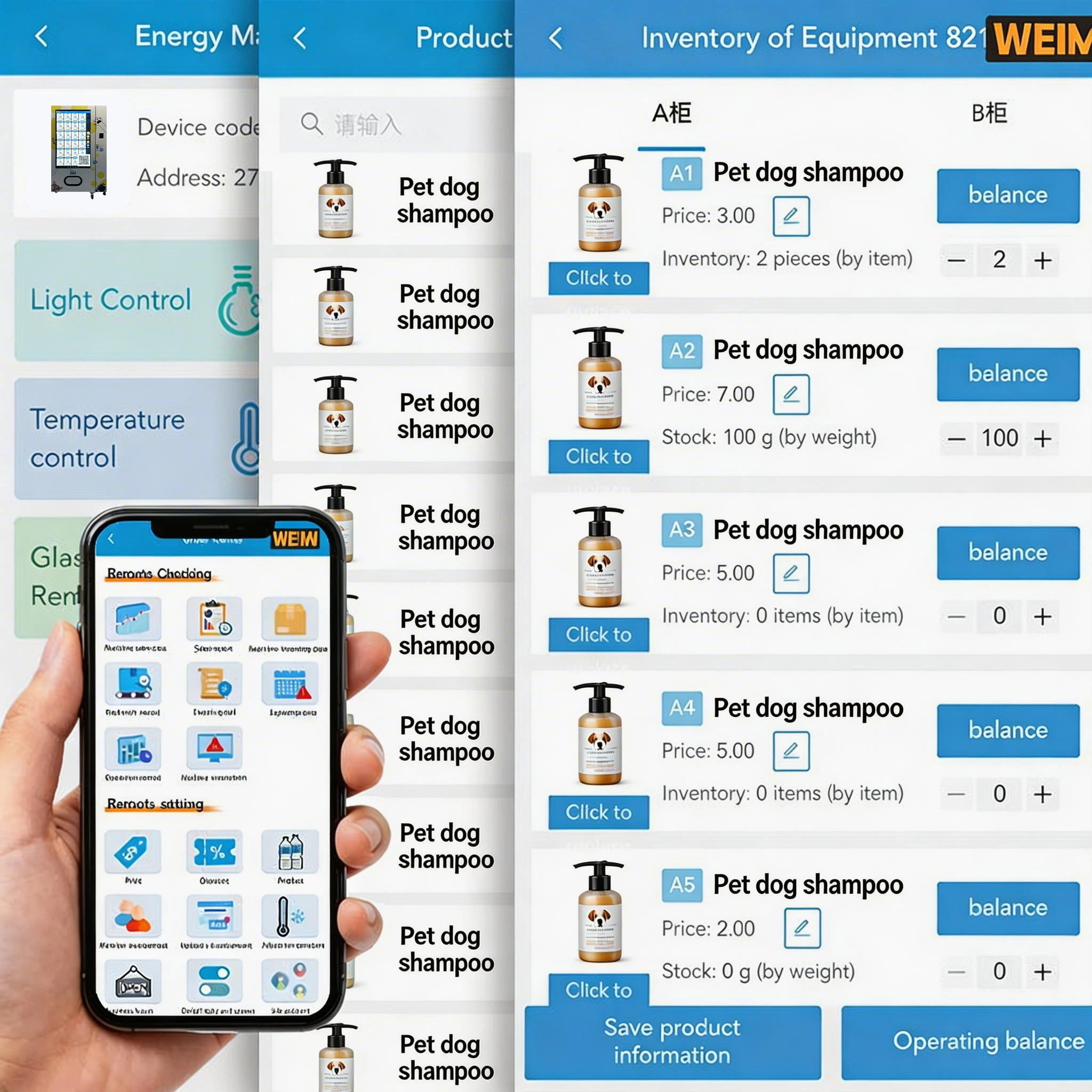
See what shoppers choose
Review sales reports in the backend. Compare product sales before deciding which treat flavours or toy sizes to refill, replace or promote.
Use your own sales results to adjust the range for your shop.
04 / Match the pack to the spiral
54 slots. Capacity depends on your products.
This spiral pet vending machine has six floors with nine slots on each floor. A slot is a dispensing channel, not a single product space.
Pack depth affects how many units fit behind one another. Width, shape and weight also affect how a product moves through a spiral.
Send us your actual packs
Share the width, height, depth and weight of each treat pack or toy package. Include photos of hanging tabs, soft bags and loose parts.
Ask WEIMI to check the spiral setup and test dispensing with your samples. Do not assume every loose toy or large food bag will fit.
Compare a model with lockers for larger supplies →WM10 specifications
Plan your machine setup
Set cooling between 3 and 20°C to suit the products you stock. Follow each product’s storage instructions. Choose payment terminals for your market when requesting a quote.
| Model | WEIMI WM10 |
|---|---|
| Products | Packaged pet treats and suitably packed pet toys |
| Machine size | W87 × D88 × H198 cm |
| Touchscreen | 10 inch |
| Slot layout | 6 floors × 9 spiral slots; 54 slots total |
| Unit capacity | Depends on product dimensions and the agreed spiral setup |
| Refrigeration | 3–20°C, adjustable |
| Optional payments | Coin, cash, card, e-wallet, IC card and ID card |
Questions from pet shop owners
How many products can WM10 hold?
WM10 has 54 spiral slots. The total number of units depends on pack size and the spiral setup. Send product samples or dimensions so we can check the fit.
Can I sell treats and toys together?
Yes, provided their packaging fits the agreed spiral setup. Use categories and product details to help shoppers tell items apart.
Are all payment methods included?
Payment terminals are optional. Choose coin, cash, card, e-wallet, IC card or ID card support when discussing your order. Confirm local payment compatibility with WEIMI.
Can I change offers and check sales?
Yes. You can set related-product suggestions and multi-buy discounts in the backend, check inventory and view sales reports.
Does the machine identify pet allergies?
No. You can upload ingredient and feeding information for shoppers to read. Use accurate product labels and avoid promising that a treat is safe for every pet.
Build your WM10 setup
Start with the products you want to sell
Send your pack sizes, product photos, installation location and preferred payment methods. We will help you check the slot setup and prepare a quote.
Request a Quote


